
How to: Embed a Social Media Post
Sometimes you may want to include a YouTube video or social media post to support your article’s topic or content. For these cases, you can (and should) embed the video or post directly in the article. It’s a simple process, and we’ll walk you through it right here!
How To Demonstration
The Steps!
Let’s break down how to embed a social media post in an article in WordPress.
Find Your Content
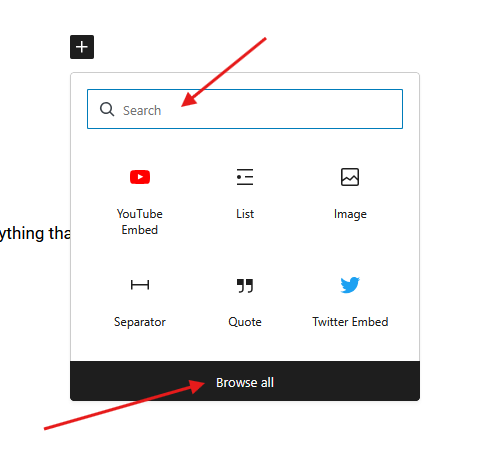
First, find the content you want to embed. It could be a YouTube video, a post on X, or something similar. You can find a full list of supported embeds in WordPress. Just click “Browse all” at the bottom of the Block search window or type the name of the social media platform in the search.
*Note: Meta platforms are not currently supported. This includes Facebook and Instagram.
Embedding the Post/Video
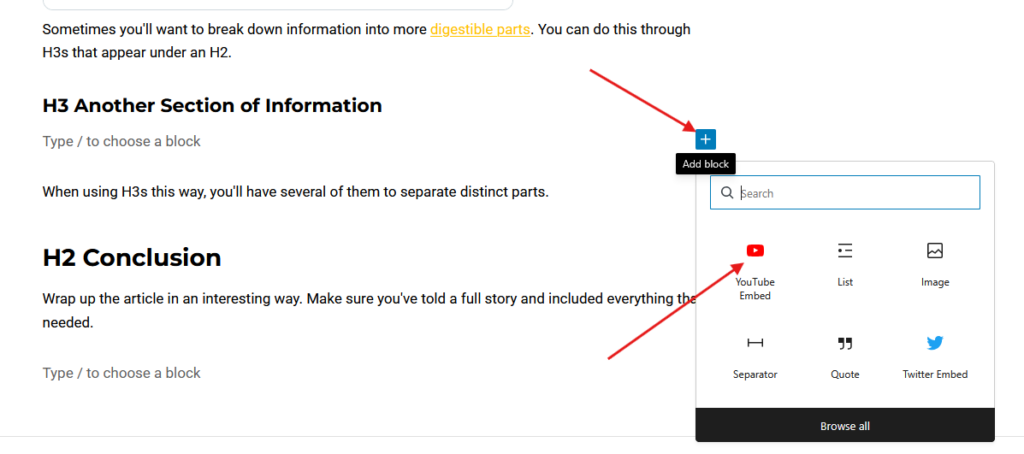
- To open the Block search window, press Enter on your keyboard to create a space.
- Click on the space where it says “Type / to choose a block.
- Click the plus (+) button.
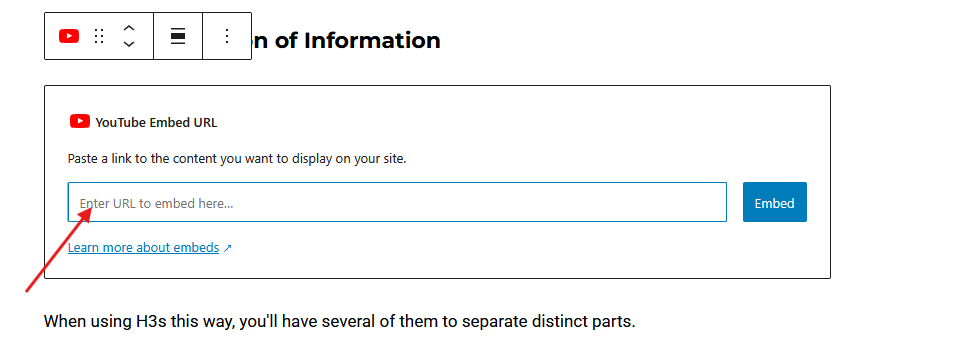
- Then you can select the appropriate Embed Block.
- Paste in the URL for the content you’re embedding.
- Click Embed
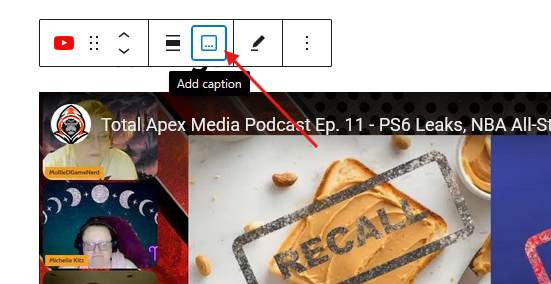
- If it is a YouTube video, add a caption with the title and channel name.

Wrapping it Up
That’s all there is to it! You now know how to embed social media content into your articles in WordPress. But, of course, you are encouraged to ask questions any time. Just drop your questions in the Chat channel for your site in Slack.
When in doubt, reach out!